
 Multiple Faces Detected



 February 27th, 2026
You finally did it. You recognized the scam, didn’t click anything, and now you want to do something about it. Maybe it was a fake bank alert, a government impersonator threatening legal action, or a too-good-to-be-true job offer. Whatever landed in your inbox, your instinct to report it is the right one, and it matters more than most people realize.
According to the FBI’s Internet Crime Complaint Center, Business Email Compromise, where scammers impersonate a trusted contact to trick victims into sending money or handing over credentials, caused $2.77 billion in losses in 2024 alone. And that’s just one slice of the email fraud epidemic. The FBI received more than 193,000 phishing and spoofing complaints that same year, making it the single most-reported cybercrime category in the country.
This guide walks you through exactly where to report, what to include, and how to protect yourself from the follow-up scams that come after.
Not sure if the email you received is from a real person or a scammer using a fake identity? Run a reverse email search on Social Catfish before you engage or report.
Name Search Examples
To get more accurate results, enter the full name including at least First name, Middle name and Last name.
Email Search Examples
Phone Search Examples
Username Search Examples
Address Search Examples
Start typing the initial part of the address and select from the addresses given dropdown afterward.
We Respect Your Privacy.
Before You Report: What to Collect First
Don’t delete the email yet. Evidence is everything when it comes to tracking scammers, and the more specific your report, the more useful it becomes to investigators.
Save the Original Email
Most email platforms let you view and export message headers, the technical data showing where an email actually originated. In Gmail, click the three-dot menu and select “Show original.” In Outlook, open the message properties. This data helps investigators trace the true source of the email.
Screenshot Everything
- The sender’s email address (look closely scammers often use addresses like support@amaz0n-help.com)
- The subject line
- The body of the email, including any links (don’t click them, just note them)
- Any attachments (don’t open them)
- Timestamps
Verify the Sender Before You Assume
One step most people skip: before you decide whether you’re dealing with a scammer or a legitimate contact, run the email address through Social Catfish. A reverse email search can tell you whether the address is tied to a real person, a known scam operation, or a completely fabricated identity. This is especially useful when the email appears to come from someone you know friend, coworker, or family member, but something feels off. Account hijacking is common, and Social Catfish can help you confirm whether the person sending that message is actually who their display name suggests.
Note What Happened
Write down a summary: when you received it, what it asked you to do, whether you clicked any links or provided any information, and how you recognized it as a scam. You’ll be asked for this in your report.
Where to Report an Email Scammer
FTC: ReportFraud.ftc.gov
The Federal Trade Commission is the primary agency for reporting consumer fraud in the United States. When you file a report at ReportFraud.ftc.gov, it enters the Consumer Sentinel Network, a database shared with more than 3,000 law enforcement agencies nationwide.
The FTC doesn’t investigate individual complaints, but patterns of reports are what trigger enforcement actions. That means your report of a single phishing email may be the data point that helps shut down an operation targeting thousands of people. The process takes about 10 to 15 minutes and you can report even if you didn’t lose money.
FBI: IC3.gov
The Internet Crime Complaint Center (IC3) is the FBI’s dedicated hub for internet-related crime. IC3 is especially important if:
- You lost money (any amount)
- Cryptocurrency was involved
- The scammer appeared to be operating internationally
- You believe the scam is part of a larger operation
IC3 data is used to identify organized criminal networks, and in some cases has directly led to the arrest of international fraud rings. File at IC3.gov.
Anti-Phishing Working Group: reportphishing@apwg.org
If the email was a phishing attempt, meaning it was trying to steal your login credentials or personal information by impersonating a trusted brand, forward the email directly to reportphishing@apwg.org. The APWG is a global coalition of law enforcement, government agencies, and cybersecurity companies that work to take down phishing sites and track phishing campaigns.
Your Email Provider
Every major email platform has a built-in mechanism for reporting phishing and spam.
- Gmail: Click the three-dot menu on the email and select “Report phishing”
- Outlook: Click “Report” and select “Report phishing”
- Apple Mail: Mark as junk or use the Report Junk option
- Yahoo Mail: Click the three-dot menu and select “Report a phishing scam”
Reporting within your email platform helps the provider’s filters get smarter and protects other users on the same platform.
The Impersonated Organization
If the scammer was impersonating a specific brand, such as Amazon, your bank, the IRS, or USPS, report it directly to that organization. Most major companies have a dedicated email address for phishing reports. Banks and credit unions have fraud departments that want to know when their name is being used. This matters because companies can take legal action against scammers that the government cannot always prioritize, and they can alert their customer base.
Before filing that report, it’s also worth running the sender’s information through Social Catfish. If the email claims to come from your bank or a known retailer, a quick reverse email or phone search can help confirm whether the contact information is spoofed and that detail is worth including when you report to the impersonated company.
Your State Attorney General
State AGs have consumer protection divisions that handle fraud within their jurisdictions. Find yours at naag.org/find-my-attorney-general. State-level reporting is especially valuable for scams involving local businesses, rental fraud, or anything specific to your area.
Name Search Examples
To get more accurate results, enter the full name including at least First name, Middle name and Last name.
Email Search Examples
Phone Search Examples
Username Search Examples
Address Search Examples
Start typing the initial part of the address and select from the addresses given dropdown afterward.
We Respect Your Privacy.
If You Already Lost Money or Gave Personal Information
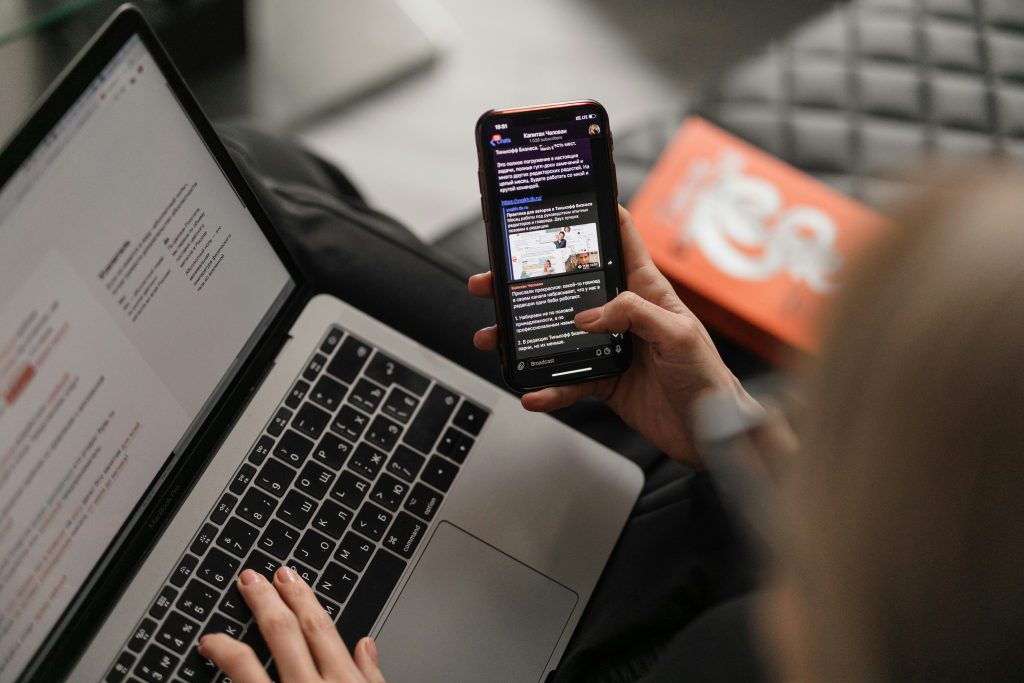
Reporting the scammer is step one, but you also need to act quickly to protect yourself.
Contact Your Bank or Payment Provider Immediately
If you sent money, time is everything. Credit card charges can often be disputed. Bank transfers and wire transfers are harder to reverse, but not always impossible. Your bank’s fraud team can advise you. If payment apps like Zelle, Venmo, or Cash App were involved, contact the platform directly and report the transaction as fraud. Cryptocurrency payments are extremely difficult to recover, but IC3 reports have helped trace and recover funds in some organized crime cases.
Find Out What Information Is Already Out There
After a scam, one of the most unsettling questions is: how much do they already know about me? Scammers often use publicly available personal data to make their emails feel credible — referencing your name, employer, city, or recent purchases to build trust before the ask. Social Catfish lets you search yourself the same way a scammer would, showing you what’s publicly accessible: your name, address history, email addresses, phone numbers, and social media profiles. Knowing what’s out there helps you understand your exposure and take steps to reduce it.
Wondering what a scammer might already know about you? Search your own name on Social Catfish and see what’s publicly visible.
Monitor Your Accounts
If you clicked a link or entered any personal information, assume your credentials may be compromised. Change passwords on any accounts that use the same email and password combination. Enable two-factor authentication wherever it’s available.
Place a Fraud Alert or Credit Freeze
If you shared personally identifiable information, such as your Social Security number, date of birth, or address, contact one of the three major credit bureaus (Equifax, Experian, or TransUnion) to place a fraud alert or freeze your credit. A fraud alert is free and lasts one year. A credit freeze is also free and stays in place until you remove it.
The Follow-Up Scams You Need to Know About
Here’s what most reporting guides leave out: scammers often come back.
Once you’ve been targeted, whether you fell for it or not, your email address may be flagged as “active” and sold to other scam operations. If you did lose money, your information may appear on victim lists that circulate in criminal networks. These lists are specifically targeted with follow-up scams designed to exploit exactly the frustration and vulnerability you’re feeling right now.
Recovery Scams
This is one of the most damaging follow-up threats. A few weeks after a scam attempt, you may receive an email, sometimes appearing to come from a law firm, government agency, or consumer protection organization, offering to help you recover your lost money. They’ll ask for an upfront fee, personal information, or both. No legitimate recovery service charges fees before recovering funds, and government agencies will never contact you by email offering to help recover losses.
If you receive one of these emails, run the sender’s email address and any provided phone number through Social Catfish before responding. Recovery scam operators often reuse identities, phone numbers, and email addresses, and a quick search can reveal whether you’re dealing with a known fraudster.
Government Impersonator Follow-Ups
If you reported a scam to the FTC or another agency, you might receive a follow-up email claiming to be from those very agencies. The FTC will never email you unsolicited, asking for personal details, payment, or account information. The same goes for the FBI, IRS, and Social Security Administration. If you receive a contact claiming to be from a government investigator, verify through official channels, and if a phone number is provided, run it through Social Catfish’s reverse phone lookup first.
“Your Report Was Filed” Phishing Emails
Some scammers monitor common complaint channels and send fake confirmation emails designed to look like official responses. These emails often include a link to “view your case status,” which leads to a phishing page. Legitimate agencies send automated confirmation emails that don’t ask you to log in or verify information through a link. If a confirmation email feels off, search the contact information in Social Catfish before clicking anything.
Fake Cybersecurity Offers
After a scam, you may be targeted with emails offering antivirus software, identity theft protection, or credit monitoring at a suspicious discount. While services like these can be genuinely helpful, be cautious of unsolicited offers that arrive shortly after a scam attempt. If the sender claims to represent a real company, use Social Catfish to verify whether the email address and business name are legitimate before engaging.
How to Protect Yourself From Follow-Up Contact
Don’t Respond to Unsolicited Outreach After Reporting
If someone contacts you claiming to be a government investigator working your case, do not respond. Look up the official number for the agency and call them directly to verify.
Verify Every New Contact
The period after a scam is when you’re most likely to be retargeted. Make it a habit to verify any new contact before responding, especially if they reference your recent scam experience, a case number, or an agency you actually did file with. Social Catfish’s reverse email search, reverse phone lookup, and name search tools all help you confirm whether someone is who they claim to be before you share anything.
Use a Separate Email for Sensitive Accounts
If your primary email has been compromised or heavily targeted, consider using a separate, private email address for banking, healthcare, and government accounts. Use your public email for subscriptions and general correspondence.
Check the Sender’s Email Address Carefully
Scammers are sophisticated. An email from the FTC might come from ftc-casemanagement@governmentresponse.net rather than ftc.gov. Always check the actual domain, not just the display name, before trusting any email. When in doubt, paste the address into Social Catfish and see what comes up.
How Social Catfish Helps at Every Stage
Social Catfish is useful before, during, and after a scam, not just as a reaction tool but as a proactive layer of protection.
Before You Engage: Reverse Email Search
If you receive a suspicious email, run the sender’s address through Social Catfish before you open attachments, click links, or reply. You can see whether the address is connected to known fraud reports, a real person, or a completely fabricated identity. This step alone can stop a scam before it starts.
While Reporting: Gather Better Evidence
Social Catfish searches can surface additional information connected to a scammer’s email address or phone number associated names, locations, social media profiles, and other accounts. This kind of context strengthens your FTC and IC3 reports by giving investigators more threads to follow.
After a Scam: Reverse Phone Lookup
Many follow-up scams come by phone. If someone calls claiming to be from a law enforcement agency, a recovery service, or a consumer protection organization, run their number through Social Catfish before you continue the conversation. Scammers reuse phone numbers across multiple operations, and a search often reveals prior reports.
After a Scam: See What’s Publicly Exposed About You
Run a search on your own name, email address, and phone number to see what scammers may already have access to. Understanding your own digital footprint is the first step to reducing it.
Top 5 FAQs
Yes. The FTC and IC3 don’t investigate individual cases, but patterns of reports trigger enforcement actions and have led to real arrests. Filing even when you didn’t lose money still helps.most as part of a pattern, which is why filing even when you didn’t lose money still helps.
Change your passwords immediately, especially email and banking. Run a malware scan, contact your bank if you shared any financial information, and place a fraud alert with the credit bureaus. Then report to the FTC and IC3, and run the sender’s details through Social Catfish to document what you know.
Yes. A reply or even a read receipt confirms your address is active, making it more valuable to sell to other operations. Report without opening and never reply.
Government agencies do not send unsolicited emails asking for personal information, payment, or login credentials. The FTC will send an automated confirmation when you file a report, but it will not ask you to click a link to verify your information. If you receive a suspicious email claiming to be from a federal agency, search the sender’s contact details in Social Catfish and look up the agency’s official contact information independently to verify.
It depends on how you paid. Credit card disputes offer the best odds of recovery. Bank transfers can sometimes be reversed if reported promptly. Payment apps have limited recovery options, and cryptocurrency is rarely recovered. Report to IC3 immediately in cases involving organized criminal networks, the FBI has frozen and returned funds. The faster you act, the better your chances.
Conclusion
Reporting a scam is one of the most effective ways to fight back, and it takes less than fifteen minutes. The evidence you collect, the agencies you notify, and the follow-up steps you take can make the difference between a one-time encounter and ongoing targeting. The most important thing to remember is that the danger doesn’t end when you close the email. Follow-up scams are common; they’re designed to exploit the exact frustration and vulnerability you’re feeling, and they can be more convincing than the original. Stay skeptical of unsolicited contact, verify every new person who reaches out, and use every tool available to protect yourself before you engage.
Name Search Examples
To get more accurate results, enter the full name including at least First name, Middle name and Last name.
Email Search Examples
Phone Search Examples
Username Search Examples
Address Search Examples
Start typing the initial part of the address and select from the addresses given dropdown afterward.
We Respect Your Privacy.